Siemens PLC Modbus Communication A Comprehensive Guide for Automation
PLC Siemens Modbus: A Comprehensive Guide
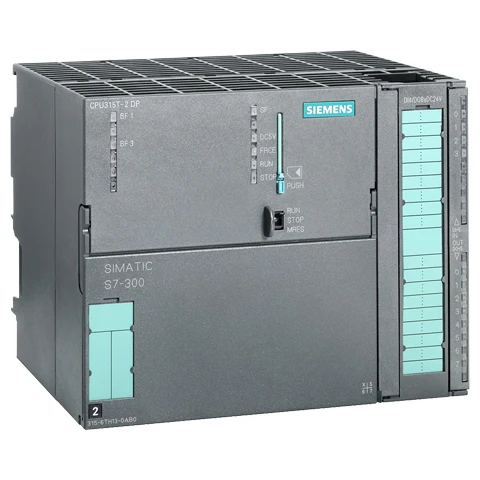
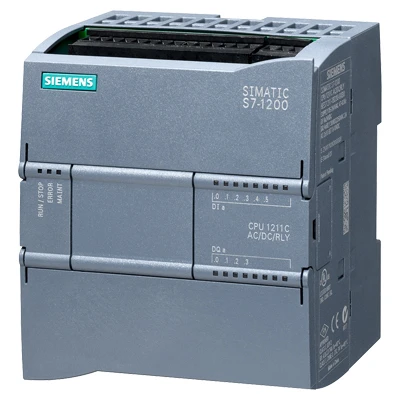
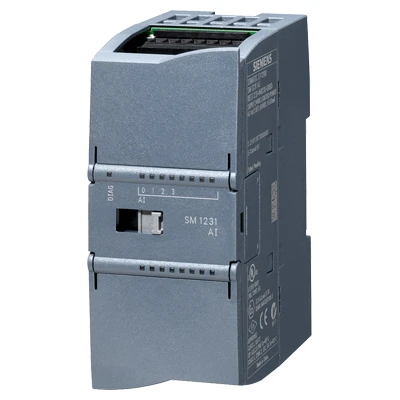
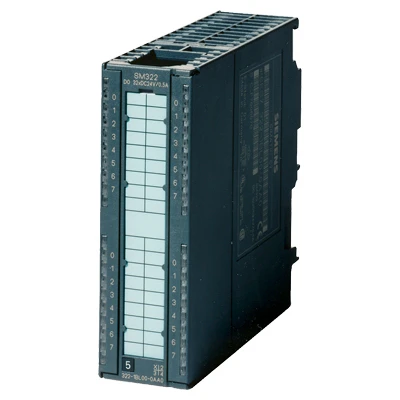
Programmable Logic Controllers (PLCs) are the backbone of modern industrial automation. Siemens PLCs, renowned for their reliability and performance, often utilize the Modbus communication protocol for seamless integration with various devices. This article will delve into the world of PLC Siemens Modbus, covering its benefits, implementation, troubleshooting, and applications. Understanding this powerful combination is crucial for optimizing industrial processes and achieving greater efficiency. Let's explore how Siemens PLCs and Modbus work together to drive automation.

What is Modbus and Why Use it with Siemens PLCs?
Modbus is a serial communication protocol widely used to connect industrial electronic devices. It’s known for its simplicity, robustness, and open architecture. Siemens PLCs, while capable of utilizing more complex protocols like Profinet and Profibus, often incorporate Modbus to communicate with legacy systems, third-party devices, and sensors that don’t support those more advanced protocols. This interoperability is a key advantage, allowing for a phased approach to automation upgrades. Modbus provides a standardized method for data exchange, simplifying integration and reducing development time.
Siemens PLC Modbus Implementation: Master vs. Slave
In a Modbus network, devices operate as either a Master or a Slave. A Siemens PLC can function as either. As a Modbus Master, the PLC initiates communication, requesting data from Slave devices. As a Modbus Slave, the PLC responds to requests from a Master device, providing data or executing commands. The choice depends on the network architecture and application requirements. Typically, the PLC is configured as the Master in most industrial automation scenarios, controlling and monitoring multiple Slave devices like sensors, actuators, and HMIs.
Key Considerations: Correctly configuring the PLC as Master or Slave, understanding Modbus addressing, and verifying baud rate and parity settings are crucial for successful communication.
Modbus Communication Modes: RTU, ASCII, and TCP
Modbus supports three communication modes: RTU, ASCII, and TCP. Modbus RTU is the most common, utilizing a binary format and checksum for error detection. It's efficient and widely supported. Modbus ASCII uses ASCII characters and is less efficient but easier to debug. Modbus TCP operates over Ethernet networks, offering higher speed and longer distances. Siemens PLCs typically support all three modes, allowing you to choose the best option based on your network infrastructure and performance requirements. For new installations, Modbus TCP is increasingly favored due to its speed and compatibility with modern networks.
Modbus Communication Mode Comparison:
• RTU: Binary, efficient, checksum based.
• ASCII: Text-based, less efficient, easier to debug.
• TCP: Ethernet-based, high speed, long distance.
PLC Siemens Modbus: Key Data Types and Function Codes
When configuring PLC Siemens Modbus communication, understanding the available data types and function codes is critical. Common data types include holding registers (for writable data), input registers (for read-only data), coils (for digital outputs), and discrete inputs (for digital inputs). Function codes define the type of operation being requested, such as reading coils (01), reading holding registers (03), writing single coil (05), and writing single register (06). Correctly mapping these data types and utilizing the appropriate function codes ensures accurate data exchange between the PLC and other devices.
Troubleshooting Common Modbus Communication Issues
Modbus communication can sometimes be challenging. Common issues include communication timeouts, incorrect data, and error codes. Troubleshooting steps include verifying physical connections, checking baud rate and parity settings, confirming Modbus addresses, and examining error logs in the Siemens PLC. Using a Modbus communication analyzer tool can also help diagnose issues by capturing and decoding Modbus traffic. Proper configuration and meticulous attention to detail are key to resolving these problems.

Conclusion: Harnessing the Power of Siemens PLC and Modbus
The combination of Siemens PLCs and the Modbus protocol offers a powerful and versatile solution for industrial automation. Its simplicity, interoperability, and reliability make it a cornerstone of many modern industrial systems. By understanding the principles outlined in this guide, you can effectively implement and maintain PLC Siemens Modbus communication, optimizing your processes and driving efficiency.
Frequently Asked Questions (FAQs)
What is the maximum distance supported for Modbus RTU communication with a Siemens PLC?
The maximum recommended distance for Modbus RTU communication is typically around 1200 meters (approximately 3900 feet). However, this distance is influenced by factors like cable quality, baud rate, and network noise. Higher baud rates require shorter cable lengths to maintain reliable communication. Using shielded twisted-pair cabling and proper termination resistors is crucial for long-distance communication. For longer distances, Modbus TCP over Ethernet is often a more suitable solution.
How do I configure a Siemens PLC to act as a Modbus Master?
Configuring a Siemens PLC as a Modbus Master typically involves using the PLC's programming software (like TIA Portal). You'll need to create a Modbus communication block, define the communication parameters (baud rate, parity, stop bits, Modbus address), and specify the data to be read or written. You'll also need to configure the Modbus Slave devices with unique addresses. Refer to the Siemens PLC documentation for detailed instructions specific to your PLC model and software version.
Can I use Modbus TCP with a Siemens PLC that only supports Modbus RTU/ASCII?
Yes, you can use a Modbus TCP gateway. A Modbus TCP gateway converts Modbus RTU/ASCII messages to Modbus TCP and vice-versa, allowing communication between devices using different protocols. The Siemens PLC communicates with the gateway using Modbus RTU/ASCII, and the gateway handles the translation to Modbus TCP for communication with other devices on the Ethernet network. This is a common solution for integrating legacy Modbus RTU devices into modern Ethernet-based networks.
What resources are available for learning more about Siemens PLC Modbus programming?
Siemens provides extensive documentation and training materials for Modbus programming with their PLCs. The Siemens Support website ([https://support.industry.siemens.com/](https://support.industry.siemens.com/)) is a valuable resource, offering manuals, application examples, and FAQs. Online forums and communities dedicated to PLC programming can also provide helpful tips and solutions. Additionally, Tianjinyongkai offers support and expertise in Siemens PLC and Modbus integration.